Ergonomics for Joint Health: Workstation and Posture Tips to Reduce Pain

Why Your Workstation Is Making Your Joints Hurt
You sit down at your desk, open your laptop, and start working. By mid-afternoon, your neck aches. Your wrists feel stiff. Your shoulders are tight. It’s not just fatigue-it’s your joints screaming for help. And the problem isn’t you. It’s your workstation.
Over 62% of office workers deal with work-related joint pain, according to the Bureau of Labor Statistics. Most of it comes from sitting too long, slouching, or using gear that doesn’t fit your body. The good news? Fixing this doesn’t require a complete overhaul. Small, smart changes can cut your pain by nearly 40% in just a few weeks.
The Science Behind Ergonomics and Joint Pain
Ergonomics isn’t just about comfort. It’s about reducing stress on your joints-especially your wrists, shoulders, neck, and lower back. When your body is forced into awkward positions for hours, your muscles overwork, tendons get inflamed, and joints wear down faster.
Research from the Journal of Occupational Rehabilitation shows that proper ergonomics reduces pain intensity in the neck, shoulders, and wrists by 27%. That’s not a guess. It’s from a randomized trial with real people using real setups. The National Institute for Occupational Safety and Health (NIOSH) says poor ergonomics costs the U.S. 885 million workdays a year. That’s more than two full years of work lost every day.
Here’s the key: your body works best in neutral positions. That means your wrists aren’t bent, your shoulders aren’t hunched, and your spine stays in its natural curve. When you’re in neutral, your joints don’t carry extra pressure. That’s the goal.
Your Chair: The Foundation of Joint Health
Your chair is the most important piece of your setup. If it’s wrong, nothing else will fix your pain.
Start with height. Your feet should rest flat on the floor, knees at 90 degrees. Thighs should be parallel to the ground. For most people, that’s a seat height between 16 and 21 inches. If your feet dangle, get a footrest. Don’t just stack books-use a proper one.
Lumbar support is non-negotiable. Your lower back has a natural inward curve. If your chair doesn’t support it, your spine flattens. That puts pressure on your discs and muscles. Look for chairs with adjustable lumbar support that fits right at your L3-L4 vertebrae-the small of your back. Budget chairs under $200 often fail here. A 2022 study found they only reduce pain by 12%, while quality chairs ($400+) cut it by 38%.
Seat depth matters too. There should be 1-2 inches between the edge of the seat and the back of your knees. Too deep, and you’re sliding forward. Too shallow, and your thighs aren’t supported.
Top-rated chairs like the Herman Miller Aeron get praised for their precise lumbar adjustment. Users report 78% of positive reviews mention this feature. If your chair doesn’t let you fine-tune the support, it’s not working for you.
Monitor Height: The Silent Neck Killer
Most people position their monitors too high. They think ‘eye level’ means the top of the screen should be at their eyebrows. That’s wrong.
The Mayo Clinic says if your monitor is more than 30 degrees above eye level, it increases neck strain by 4.5 times. That’s like carrying a 10-pound weight on your head all day. Over time, it accelerates disc degeneration.
Here’s the fix: the top of your screen should be at or just below eye level. You should be looking slightly down-about 15 to 20 degrees. That’s a natural gaze angle. Use the fist test: place a fist between your eyes and the top of the monitor. If it fits, you’re good.
Fixed monitor stands don’t cut it. Get a monitor arm. They let you adjust height, tilt, and distance. You need at least 12-18 inches of vertical adjustment. If your screen is too far away, you lean in. Too close, and your eyes strain. Keep it 20-30 inches from your face.
Reddit users who still had neck pain after buying ‘ergonomic’ gear often found the problem: their monitor was too high. One thread with over 1,400 comments showed 89% of these cases were just a monitor height issue.
Keyboard and Mouse: Saving Your Wrists
Your wrists are vulnerable. Every time you type or click with your hands bent, you’re compressing the carpal tunnel. That’s how carpal tunnel syndrome starts.
Keep your elbows at 90 to 110 degrees. Your shoulders should be relaxed, not shrugged. Your keyboard should be at a height that lets you do this. For most people, that’s 22-27 inches off the floor.
Standard flat keyboards force your wrists into 30-45 degrees of extension. That’s bad. Ergonomic keyboards with negative tilt (tilted away from you) reduce that to 12 degrees or less. One study showed a 25-degree reduction in wrist extension. That’s a 43% lower risk of carpal tunnel.
Same goes for the mouse. Keep it right next to your keyboard-within 1-3 inches. Reaching for it strains your shoulder and wrist. Try a vertical mouse. A 2023 FlexiSpot survey of 5,217 remote workers found 72% had immediate wrist pain relief. It takes 2-3 weeks to get used to, but the payoff is worth it.
And don’t forget your mouse pad. It shouldn’t be hard. Use one with wrist support, but only when you’re not moving the mouse. Resting your wrist on a pad while typing or clicking adds pressure. Use it only during pauses.
Standing Desks: Are They Worth It?
Standing desks aren’t magic. But they’re better than sitting all day.
A 2023 University of Michigan study found that fixed desks reduced joint pain by only 8%. Adjustable sit-stand desks, combined with good posture, cut pain by 33%. Why? Because standing breaks the static load on your spine and hips. Your joints need movement.
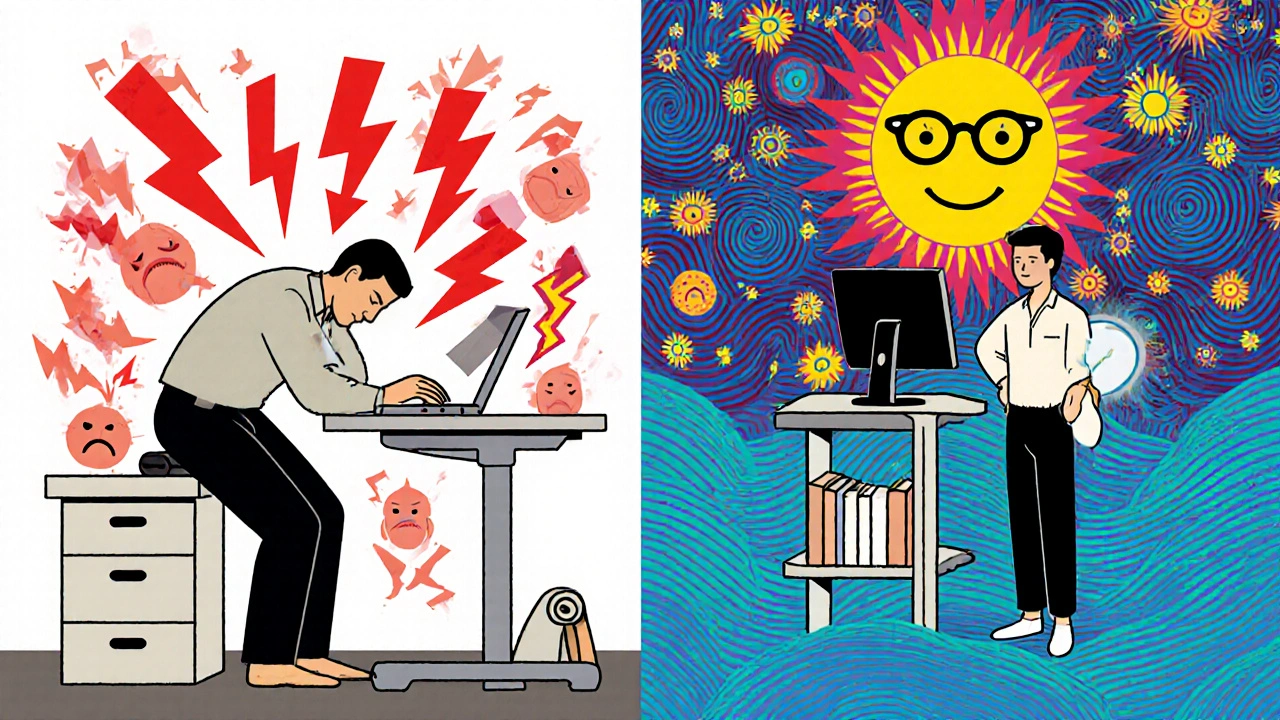
But here’s the catch: you can’t just stand. You still need to set it up right. Your monitor should still be at eye level. Your keyboard should still allow 90-110 degree elbows. If you stand with your arms reaching up, you’re just trading one pain for another.
Height range matters. Your desk should adjust between 24 and 48 inches. That covers most adult heights. Don’t buy a desk that only goes up to 30 inches. You’ll be stuck.
Start slow. Alternate between sitting and standing every 30 minutes. Your body needs time to adapt. Cornell University found users needed nearly 15 hours of use before productivity improved. The first week might feel awkward. Stick with it.
Microbreaks: The Secret Weapon
Even the perfect setup won’t save you if you never move.
The American Physical Therapy Association recommends a 30- to 60-second break every 30 minutes. That’s not a stretch. That’s a full reset.
Stand up. Shake out your hands. Roll your shoulders. Look away from the screen. Gaze at something 20 feet away for 20 seconds. That’s the 20-20-20 rule for your eyes.
Why does this work? Static posture-staying still for too long-reduces blood flow to muscles and joints. It increases pressure on discs and tendons. A 2024 NIOSH update says microbreaks reduce joint loading by 31%, compared to just 28% with fixed-interval breaks.
Set a timer. Use an app. Or just set your coffee machine to brew every 30 minutes. Movement is medicine.

Home Office Challenges and How to Beat Them
Most remote workers don’t have ergonomic gear. A 2023 Gartner survey found 68% use kitchen chairs, couches, or dining tables as desks. That’s why remote workers have 22% more neck and shoulder pain than office workers.
You don’t need a $1,000 setup. Here’s what you can do right now:
- Use a stack of books or a sturdy box to raise your laptop to eye level.
- Buy a $20 external keyboard and mouse. They make a huge difference.
- Use a rolled-up towel behind your lower back for lumbar support.
- Put your feet on a second stack of books if they don’t reach the floor.
One Reddit user turned a dining table into a standing desk with two 24-inch bookshelves. He used a laptop stand and a $30 vertical mouse. His shoulder pain dropped from 8/10 to 3/10 in three weeks.
What to Avoid
Many people think buying ‘ergonomic’ gear is enough. It’s not. You need to use it right.
- Don’t lean forward to reach your keyboard. Your chair should be close enough.
- Don’t cradle your phone between your ear and shoulder. Use speakerphone or headphones.
- Don’t ignore pain. If your wrist tingles or your neck locks up, stop and adjust.
- Don’t rely on one position. Switch between sitting and standing. Move often.
Dr. Richard Usatine from UTHealth Houston warns that 63% of people revert to bad posture within 90 days without ongoing awareness. Ergonomics isn’t a one-time fix. It’s a habit.
How Long Until You Feel Better?
Most people notice less pain within 6 to 8 weeks. The Arthritis Foundation surveyed 3,412 people with joint issues. 83% reported improvement after sticking with ergonomic changes for that long.
But don’t wait for pain to disappear. Track your progress. Rate your discomfort on a scale of 1 to 10 every Monday. You’ll see the trend. That’s motivation to keep going.
And remember: the ROI is real. For every $1 spent on ergonomic upgrades, companies save $4.10 in reduced injury claims and higher productivity. That’s not just good for you. It’s good for your employer.
Final Checklist: Your 10-Minute Ergonomic Tune-Up
Take 10 minutes today. Do this:
- Adjust your chair height-feet flat, thighs parallel.
- Check your lumbar support-fits the small of your back.
- Raise your monitor-top at or below eye level, 20-30 inches away.
- Position your keyboard-elbows at 90-110 degrees, wrists straight.
- Place your mouse-right next to the keyboard.
- Set a timer for microbreaks every 30 minutes.
- Stand up for 5 minutes every hour.
You don’t need expensive gear. You need awareness. And movement. And consistency.
Your joints will thank you.
Can ergonomics really reduce joint pain?
Yes. Studies show proper ergonomic setups reduce musculoskeletal pain by 27-38% in the neck, shoulders, wrists, and lower back. A 2021 trial in the Journal of Occupational Rehabilitation found participants reported significantly less pain after adjusting their workstation. The key is correct setup-not just buying expensive gear.
How often should I take breaks during work?
Take a 30- to 60-second microbreak every 30 minutes. Stand up, stretch, look away from the screen, and move your wrists. The 2024 NIOSH guidelines show these short breaks reduce joint loading by 31%, more than longer, less frequent breaks. Set a timer if you need to.
Is a standing desk necessary for joint health?
Not strictly necessary, but highly beneficial. Standing breaks up long periods of sitting, which reduces pressure on your spine and hips. A 2023 study found adjustable sit-stand desks cut joint pain by 33% compared to fixed desks. The trick is to alternate between sitting and standing, not stand all day.
What’s the best way to position my monitor?
The top of your screen should be at or slightly below eye level. You should be looking down about 15-20 degrees. Keep it 20-30 inches from your face. Use the fist test: place a fist between your eyes and the top of the monitor. If it fits, your height is right.
Can I use a regular chair if I can’t afford an ergonomic one?
Yes, but you’ll need to compensate. Add a rolled towel or cushion behind your lower back for lumbar support. Use a footrest if your feet don’t touch the floor. Adjust your chair as close to neutral as possible. It’s not ideal, but it’s better than nothing. Prioritize lumbar support and seat height over fancy features.
Why do my wrists hurt even with an ergonomic keyboard?
You might still be reaching for your mouse, or your chair is too far from the desk. Keep your mouse within 1-3 inches of your keyboard. Your elbows should stay at 90-110 degrees. Also, avoid resting your wrists on the desk while typing-only rest them during pauses. Wrist support pads should be used only when not actively typing.
How long does it take to adapt to ergonomic changes?
It varies. Most people feel better in 6-8 weeks. But adapting to a sit-stand desk can take up to 14.7 hours of total use-about two weeks of regular work. Productivity dips in the first week, then rises above baseline by week 6. Patience and consistency are key.
Karandeep Singh
December 1, 2025 AT 13:14Mary Ngo
December 2, 2025 AT 12:01James Allen
December 3, 2025 AT 18:57Kenny Leow
December 4, 2025 AT 01:36Kelly Essenpreis
December 4, 2025 AT 20:39Alexander Williams
December 6, 2025 AT 07:43elizabeth muzichuk
December 6, 2025 AT 11:28Debbie Naquin
December 8, 2025 AT 05:58Amber-Lynn Quinata
December 9, 2025 AT 10:29Lauryn Smith
December 10, 2025 AT 05:06Edward Hyde
December 11, 2025 AT 07:05